•2 min read
Execute Postman tests from AWS CodeBuild

Manoj Kengudelu
Author

Photo courtesy of Chris Ried on Unsplash
Object is to create API integration tests using Postman and execute it in AWS using AWS CodeBuild.

Development
- Create Postman Test Collection with Dynamic data set
- Create Postman Environment
- Export Collection and Postman to Local Drive.
- Create
buildspec.yml
version: 0.2

phases:
  pre_build:
    commands:
      - npm install -g newman
      - npm install -g newman-reporter-html

  build:
    commands:
      - newman run -r html,cli backend.postman_collection.json -e backend-Dev.postman_environment.json --reporter-html-export apireport.html

artifacts:
  files:
    - apireport.html
AWS
- Create S3 bucket to store the collection and environment json files
aws s3 mb s3://backend-api-test-collections- Push collection, environment json and buildspec.yml files to the bucket
aws s3 cp backend.postman_collection.json s3://backend-api-test-collections/postman-env-files/backend.postman_collection.json
aws s3 cp buildspec.yml s3://backend-api-test-collections/postman-env-files/buildspec.yml- Create S3 bucket to store the test results
aws s3 mb s3://backend-api-test-results- Create AWS CodeBuild

- Note that Source Provider is Amazon S3
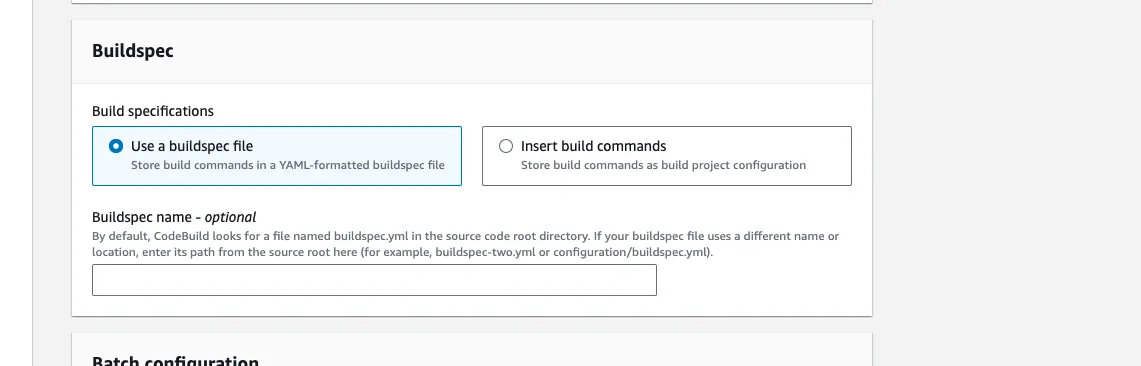
- Choose buildspec.yml as buildspec file
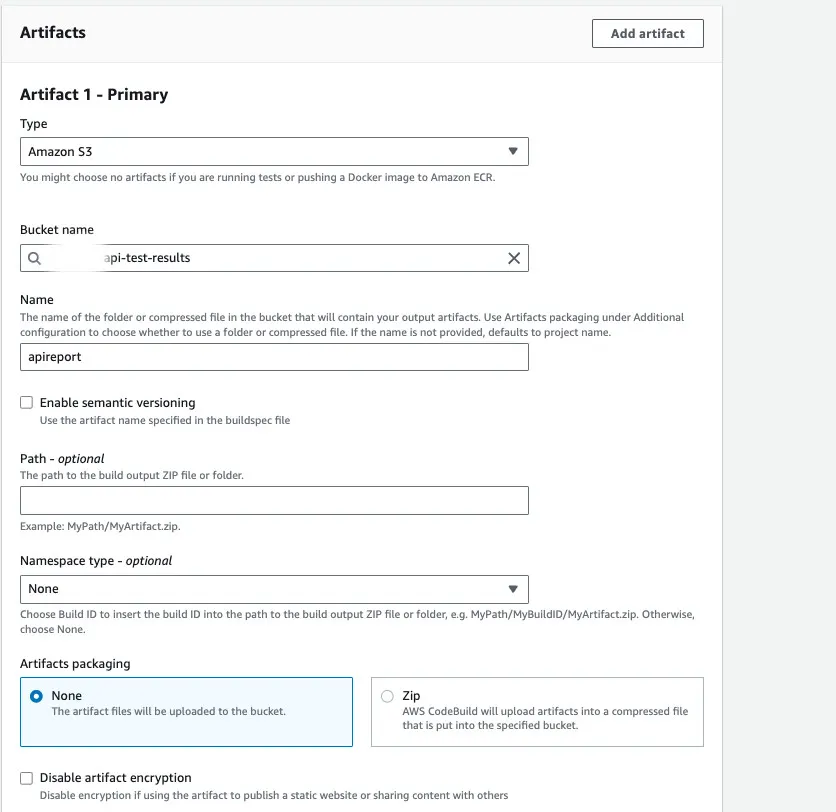
- Artifact — to store results
- Trigger the AWS CodeBuild
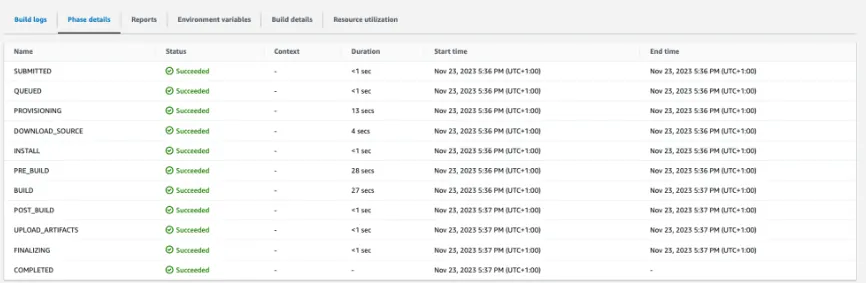
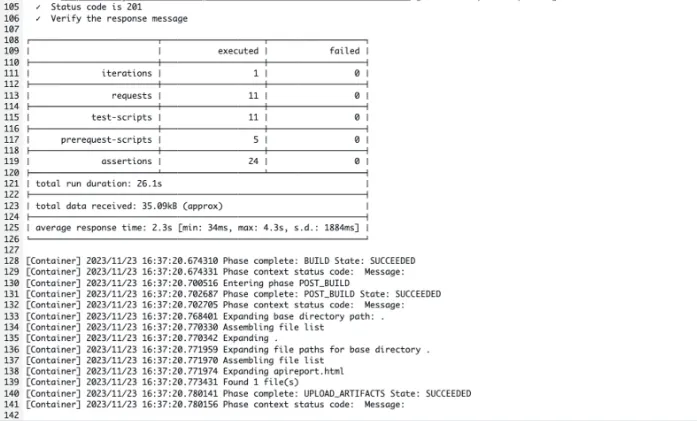
- Navigate to
backend-api-test-resultsS3 bucket to find the html report apireport.html - During the creation of CodeBuild, you can create log group to send execution results to Cloudwatch